
Helpdesk, information and links
Important information and downloads

Informationens about AI
Prompting - a must have!
More on our subpage.
AI but how
iMooX explains AI in 10min!
AI & Performance assessment
iMooX explains how you can incorporate AI into your performance definition.
MUL - AI-Guidlines
Click here for the MUL AI guidelines (scroll to the bottom).
General tipps
Student reflection
Possibilities:
- How are you changing to become a “chemist”? Professional identity/growth as an engineer
- How have you changed in relation to your profession?
- Reflect on your own learning. Learning diary. What have we achieved - show comparisons.
- Links between other departments: What knowledge do you think you can use from other courses for this course?
- Boundaries with social issues, the environment, etc.
- What has changed? Impact
- Ask questions and discuss them together in small groups (pairs).
--> There are no wrong answers when it comes to reflection.
Translated with DeepL.com (free version)
Find inspiration
Do you want to change teaching or find inspiration for your teaching?
Go to Transferkiosk! https://transferkiosk.net/
Accessible Teaching Material
Collection of information for teachers on the topic of accessible teaching materials
Rules for Tools
Here you can find an example of “Rules for Tools”
MUL Videoserver
Click here to log in.
Liveuntertitel
How do I create live subtitles?
Moodle Tipps und Tricks
Visibility of activities
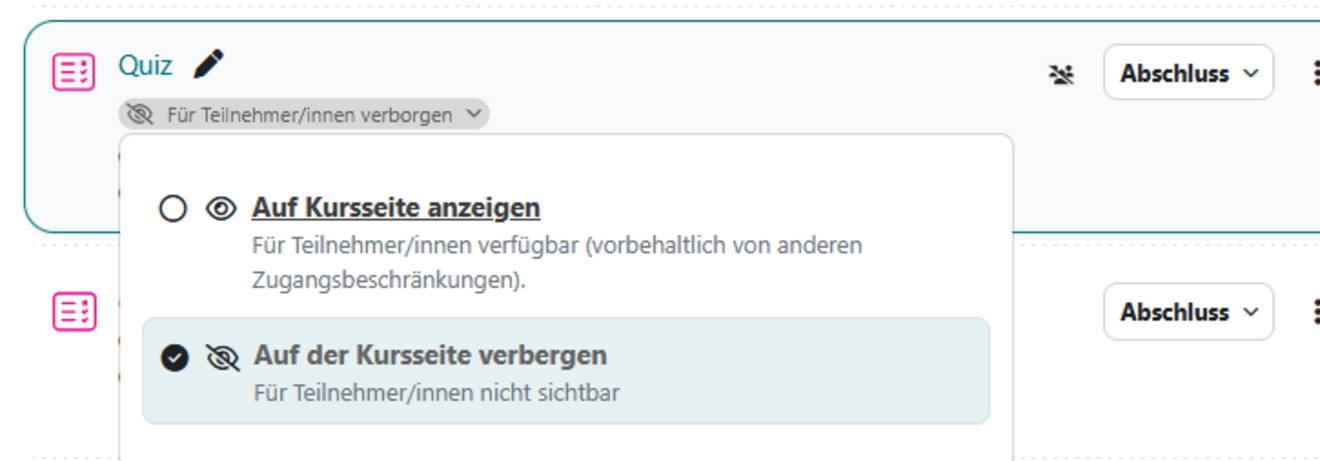
Hide visibility for participants. Then click on the small arrow next to “Hidden from participants.”
Requirements for visibility
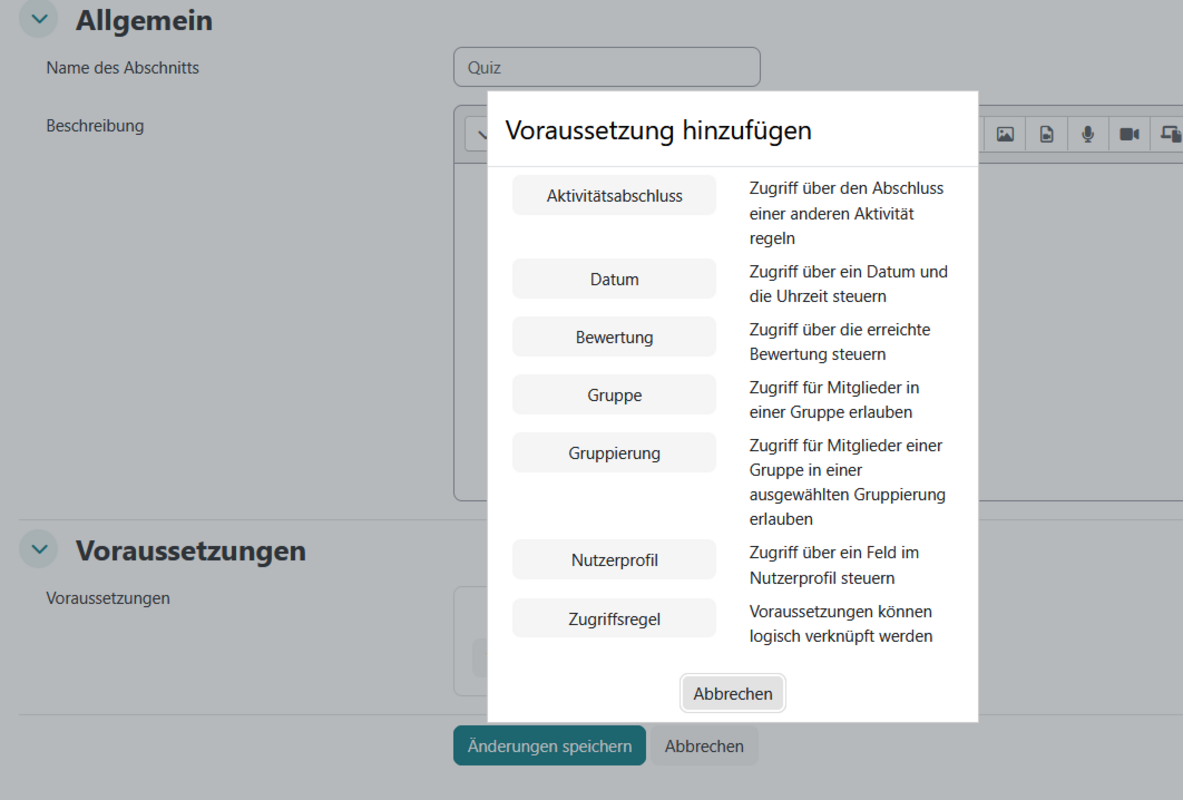
You can set an activity to be automatically unlocked (made visible). For example, on a specific date, for a specific group, etc.
You can set the requirements for this chapter in the activity settings.
Translationtags
Here you get help for translations in Moodle.
XML for MC Quiz in Moodle
Link to the manual
Playlist for Moodle
This link brings you to the CTL Youtube page.
Download area
Liveuntertitel Manuel
Die Erstellung von Liveuntertiteln ist in Microsoft11 ganz einfach und kann mit einem Mouseklick bereit gestellt werden.
Quality assurance and course analysis for teachers
Reuse course content
Toollist
Here you will find a comprehensive tool list that shows which tool is suitable for which purpose.