
Instructions for registering courses
You have chosen your degree programme, received your admission and now want to register for your courses?
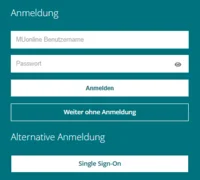
- Log in to MU Online, the TU Leoben campus management system.
- Click on "My Studies"
- Then select "My Planning" and "Semester Schedule". In the semester schedule you can see all recommended courses broken down by semester.
- Click on a module, select a course.
- Choose the right study and node and click next.
- Then click on "register" and "Ok".
- You will get a fixed list place and are registered for the course.